
app.immuta.com
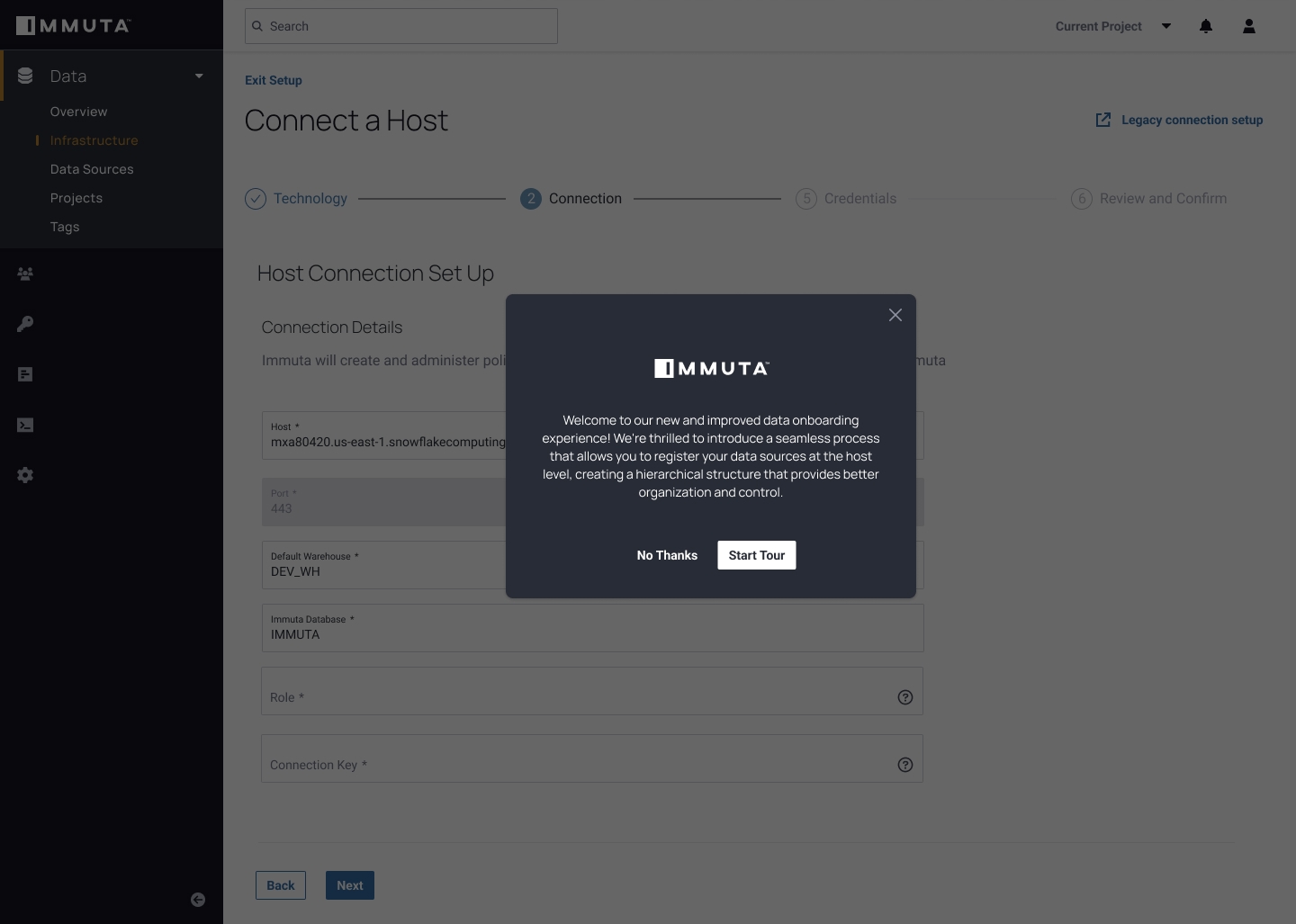
Connect a Host onboarding experience introducing hierarchical data registration

Simplifying Enterprise
Data Onboarding

Redesigning Immuta's information architecture to align with how enterprise administrators naturally organize, onboard, and manage data infrastructure.

Simplifying Enterprise Data Onboarding

Client

Immuta

Enterprise SaaS · Data Security

Role

Senior Product Designer

Category

  • Information Architecture
  • Enterprise UX

Year

2023

Problem

From Flat Data Sources to Hierarchical Infrastructure

Enterprise data platforms are naturally organized as hierarchies, but Immuta's original experience presented infrastructure as a collection of independent data sources. While this flat model worked for smaller environments, it became increasingly difficult to onboard and manage data at scale, enforce policies consistently, and navigate complex enterprise infrastructure.

The Data Source Information Architecture (DSIA) initiative reimagined that foundation by introducing a hierarchical model that mirrors how enterprise administrators already think about their infrastructure. The result was a more intuitive and scalable foundation for onboarding, permissions, policy enforcement, and data management.

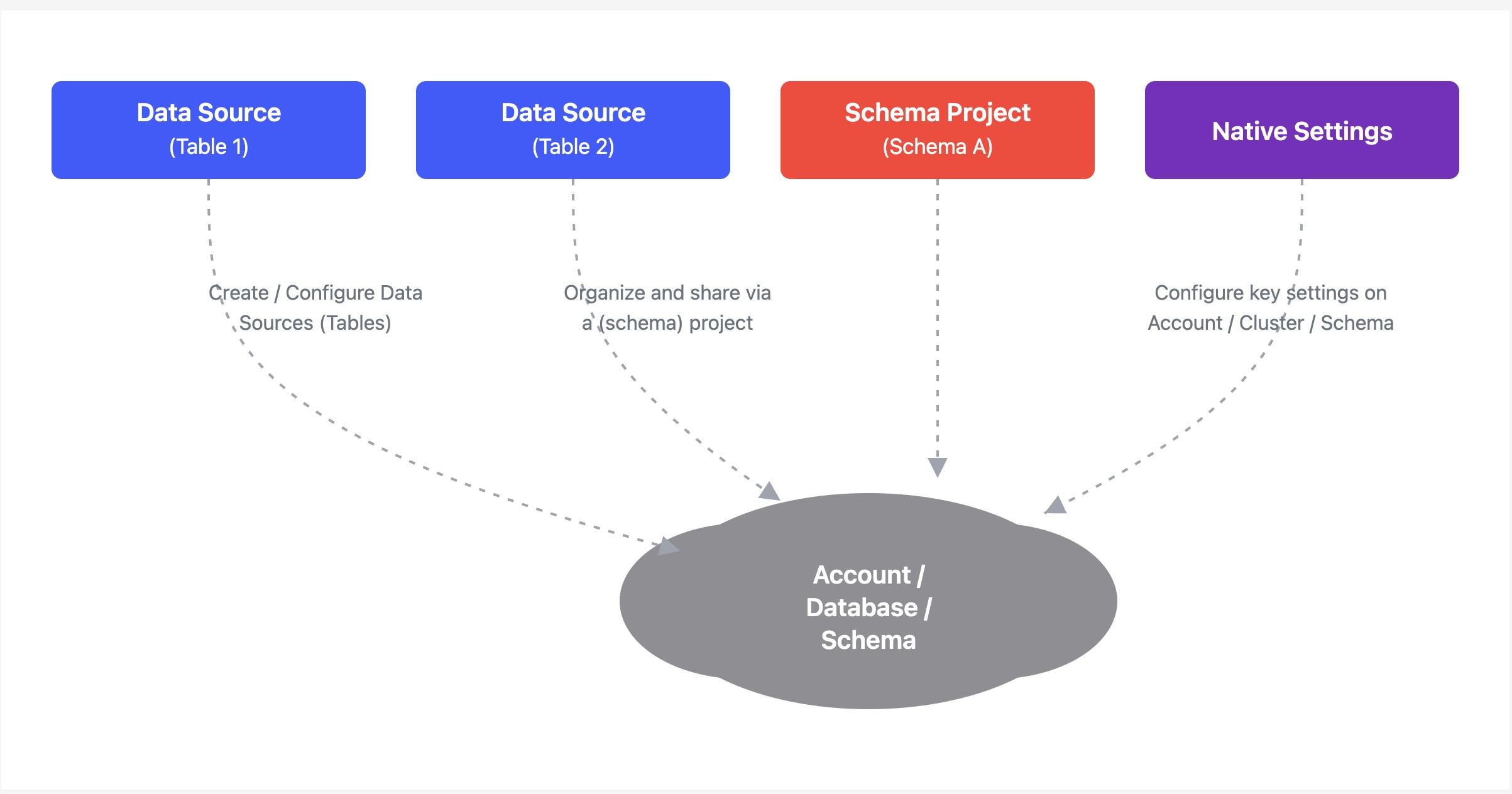
Before

Immuta's flat model

Before: Immuta's flat model, with data sources, schema projects, and native settings configured independently

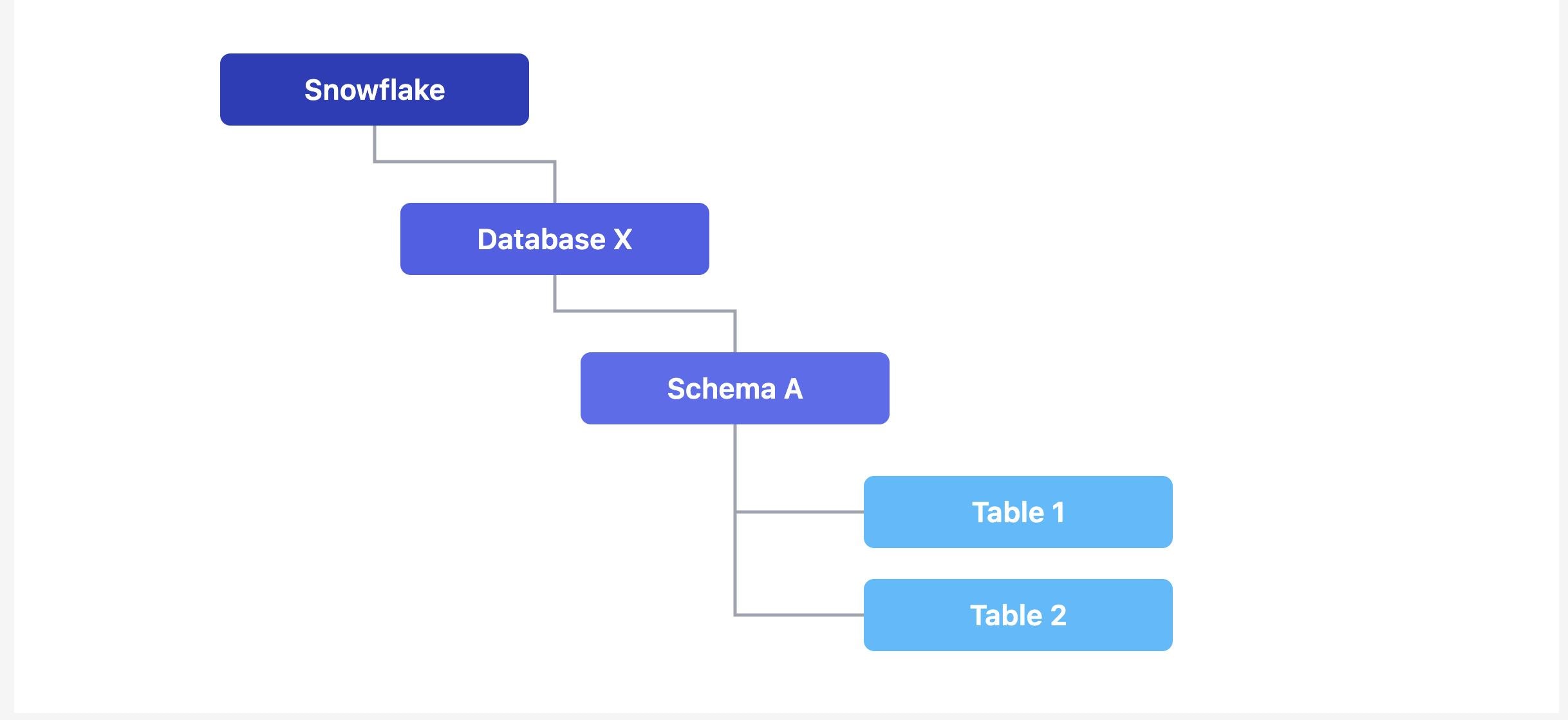
After

How customers organize infrastructure

After: how customers organize infrastructure — Snowflake contains Database X, Schema A, and tables

The gap

Customers already think in a hierarchy. Immuta asked them to reconstruct that structure across disconnected objects.

Design Process

Evolution

Shaping the new information architecture

Data Source Information Architecture (DSIA) wasn't a single redesign. It evolved through multiple iterations as the team tested the underlying information architecture against enterprise scale, permissions, onboarding, and technical constraints. Rather than documenting every version, this case study highlights the key exercises and design decisions that shaped the final experience.

Strategy

Design Principles

A framework for evaluating design decisions

We translated what we learned into four questions we could use to evaluate decisions throughout DSIA, from the information architecture to onboarding, navigation, and configuration.

Design decision framework

  1. 01

    Transparency

    Can admins understand where they are and how objects relate?

  2. 02

    Navigability

    Can they find and manage what they need at enterprise scale?

  3. 03

    Familiarity

    Does the structure match how they already think about their infrastructure?

  4. 04

    Control

    Is it clear what they’re changing, where the change applies, and what it affects?

Information Architecture

Design Workshop

Reorganizing the Settings Information Architecture

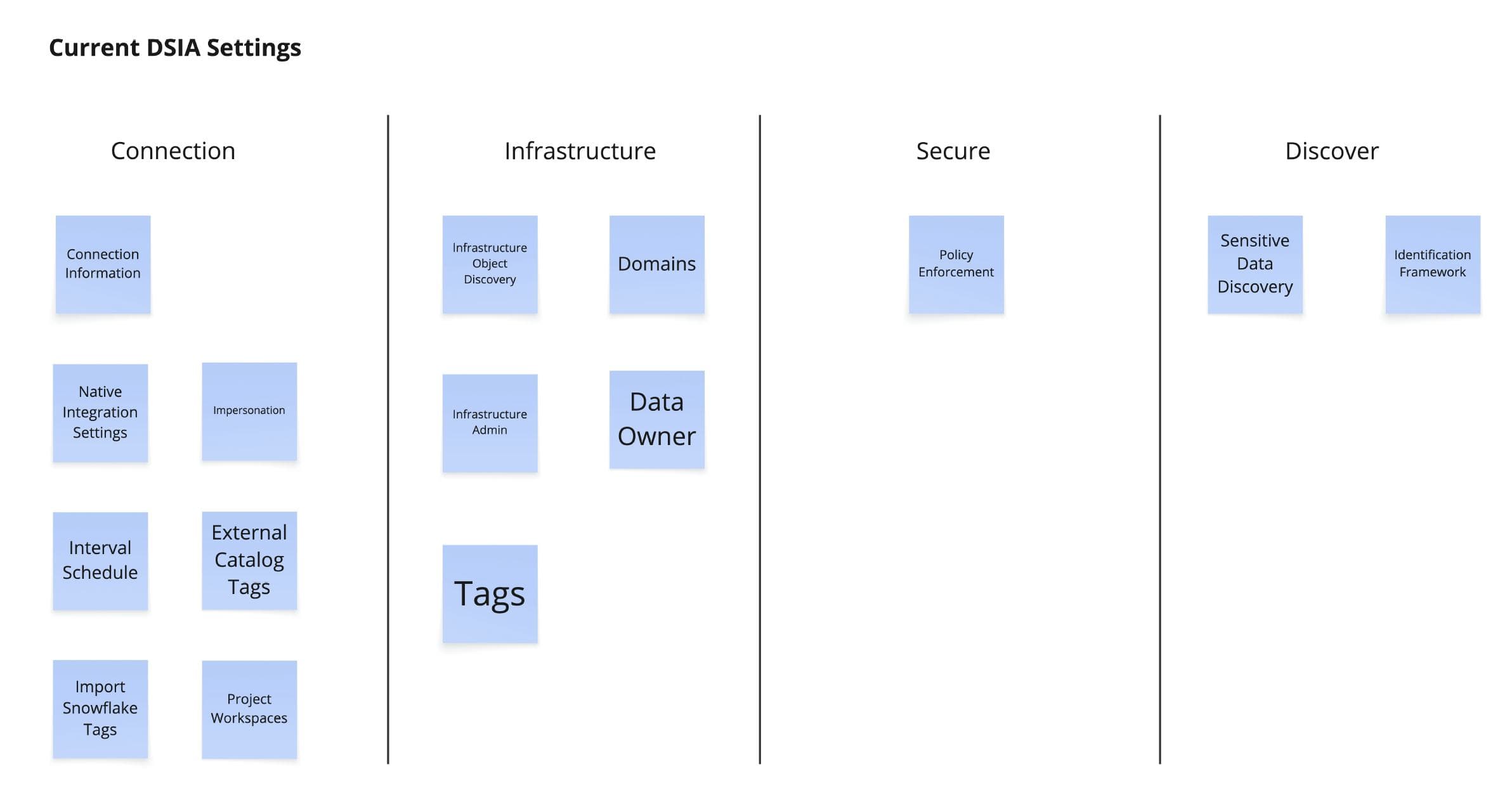
Existing configuration options had grown organically over time, making it difficult to understand where settings belonged or how they related to one another. We facilitated a collaborative workshop to evaluate the current information architecture, identify logical groupings, and define a structure that would scale alongside the new hierarchical model.

Design Workshop

Click a file to preview it

Current DSIA settings organized into Connection, Infrastructure, Secure, and Discover
We started by mapping how the settings were organized today. This helped us understand what existed, where things overlapped, and what no longer made sense as the product evolved.
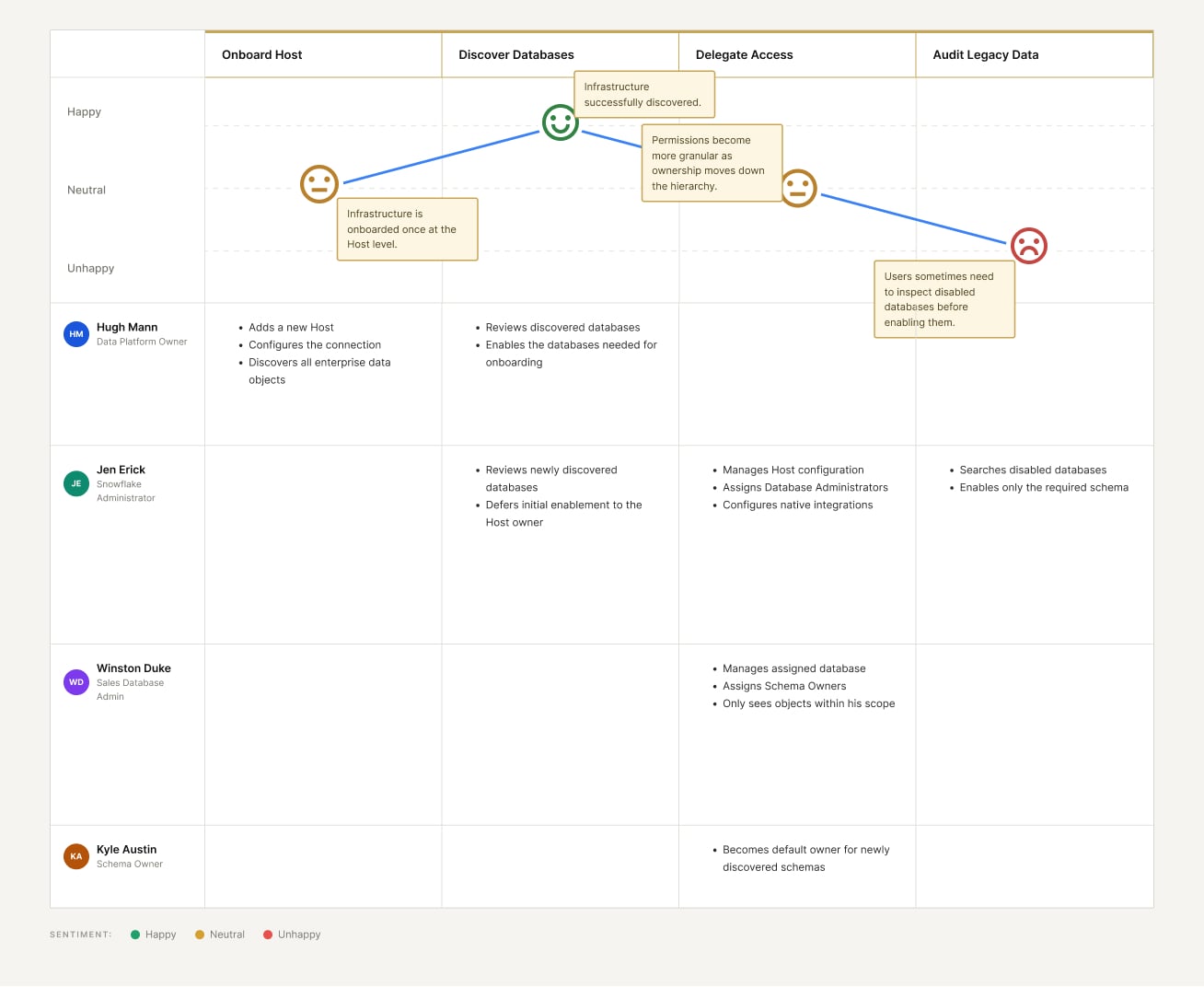
Onboarding journey map across Host, database, access, and legacy data with data platform, Snowflake, and schema owners

Once the information architecture was established, I mapped the complete onboarding journey across multiple personas to validate how the new Host-based model behaved throughout the product. The exercise surfaced permission boundaries, ownership transitions, and new workflows that informed the final experience.

Early Designs

Early Designs

Turning the hierarchy into an experience

Early concepts explored how administrators could browse infrastructure, move between hierarchy levels, and manage configuration within the context of a Host. These designs gave us something tangible to test before committing the new model to the product.

Concept walkthrough

Click to play

Note: These concepts reflect Immuta's 2023 interface. The product and design system have evolved significantly since this initial exploration.

Administrators drill from Host to Database to Schema, mirroring how enterprise infrastructure is organized and making large environments easier to understand.

A centralized settings experience where administrators configure infrastructure behavior, including object synchronization, discovery, and management settings.

Validation

Usability Study

Validating the Hierarchical Model

Before committing to the new information architecture, we tested an early version with six participants to understand whether the hierarchy felt intuitive and where the browsing experience still needed refinement.

Hierarchy Browsing Usability Study

6 participants · Moderated usability study · Early DSIA concept

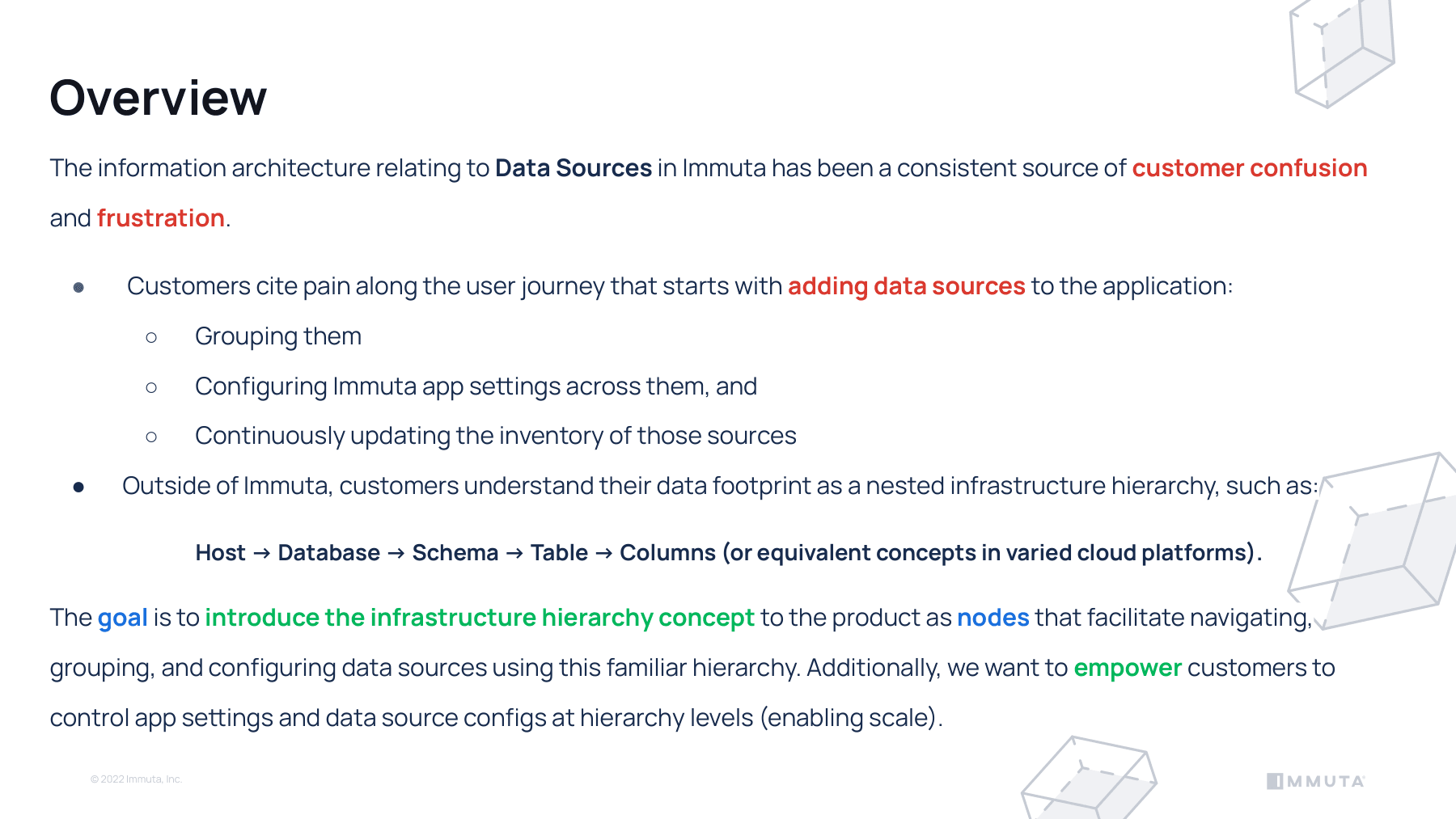
Research readout overview slide on customer confusion and frustration with Immuta data source information architecture
Findings

The hierarchy worked. The navigation needed refinement.

100%

of participants successfully navigated the hierarchy

✓

What worked

Participants understood the hierarchical model and found it logical and intuitive, validating the overall direction.

!

Where we saw friction

Feedback was mixed on drilling down through each level. Some participants questioned its value compared with familiar tree-based navigation.

→

Design response

Explore alternate navigation patterns that preserve the hierarchy while making location and depth easier to understand.

Scaling the Experience

PXL Design System

Creating a Shared Foundation for Design and Engineering

As DSIA grew, our existing component library couldn’t consistently support the new workflows. In parallel with the product work, we began defining PXL, a design system of reusable patterns that created a shared language between Design and Engineering.

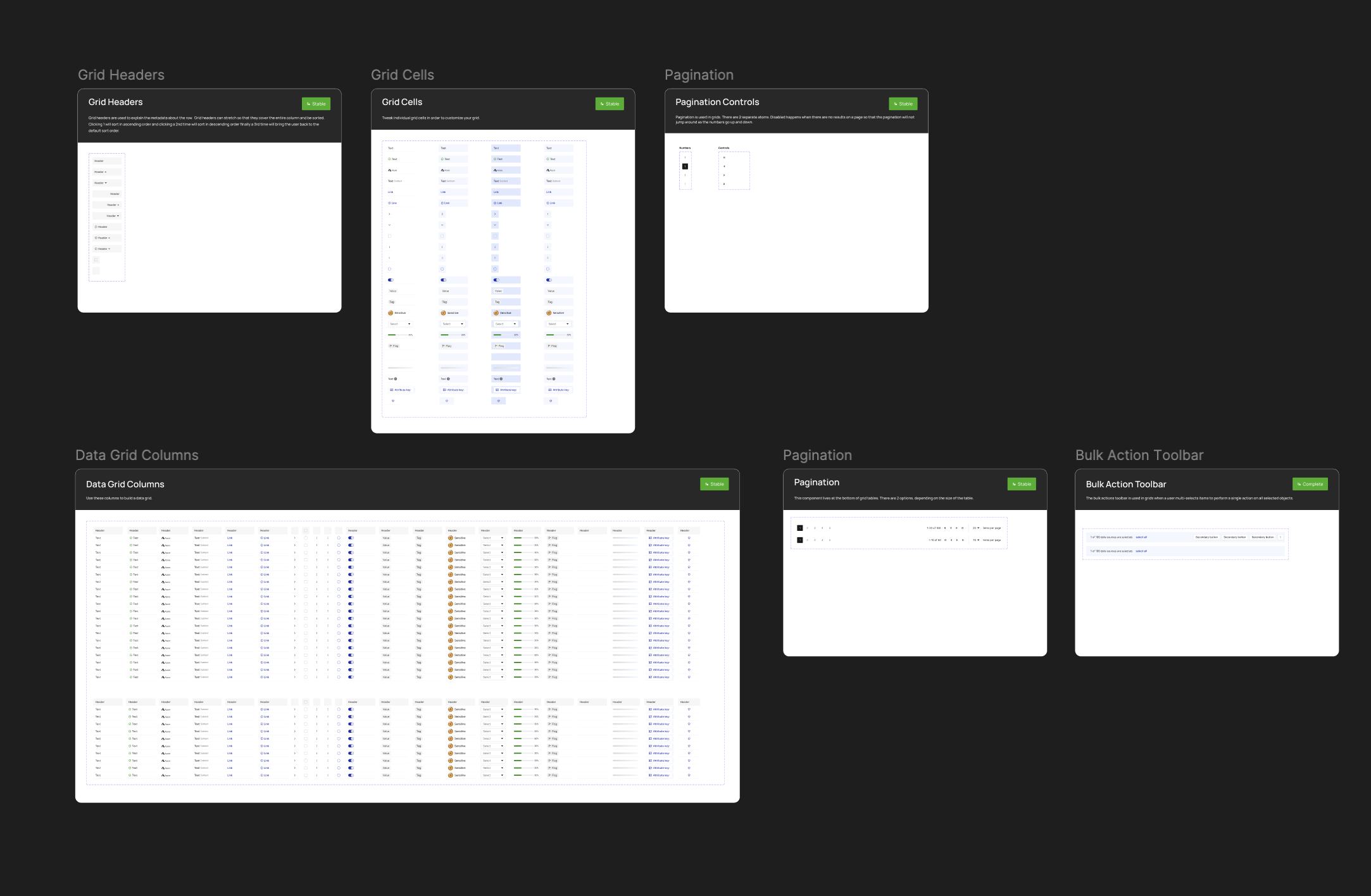
PXL reusable data grid patterns: headers, cells, pagination, columns, and bulk actions

Reusable components, patterns, and documentation were created in Figma

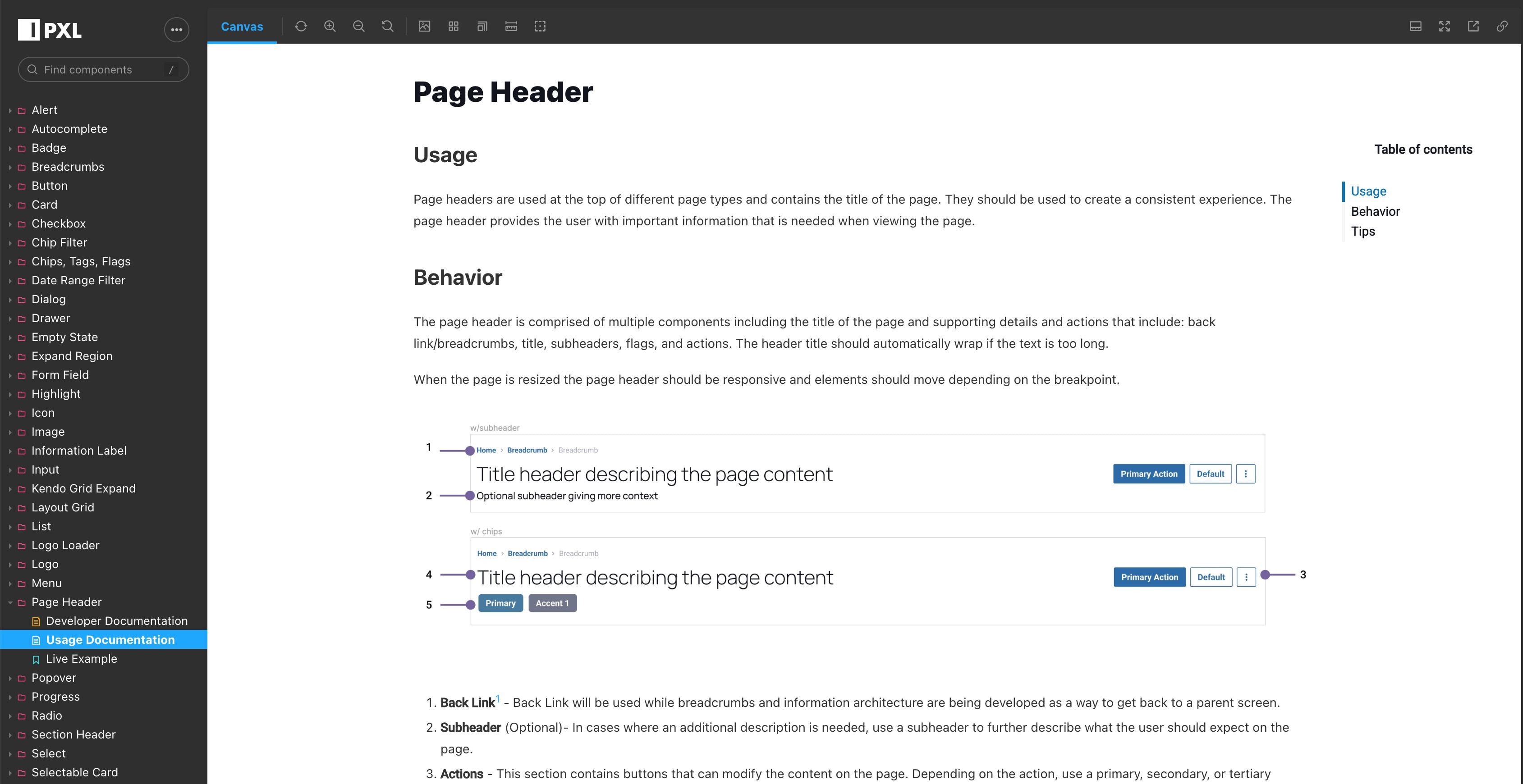
PXL Storybook documentation for the page header component, including usage and behavior

Storybook provided engineers with documented, reusable components that kept implementation aligned with the PXL design system.

A Foundation for What Comes Next

This first phase of DSIA established more than a new onboarding experience. It introduced and validated a hierarchical model for enterprise infrastructure, reorganized configuration around that model, and helped establish the design foundation needed to bring it into the product.

What comes next

  1. 01

    Validated in production

    The experience continued to evolve against real customer environments and technical constraints.

  2. 02

    Foundation for the next phase

    New workflows built on the hierarchical model and design system established here.

Next project: Designing for Cross-Functional Alignment

VIEW NEXT PROJECT